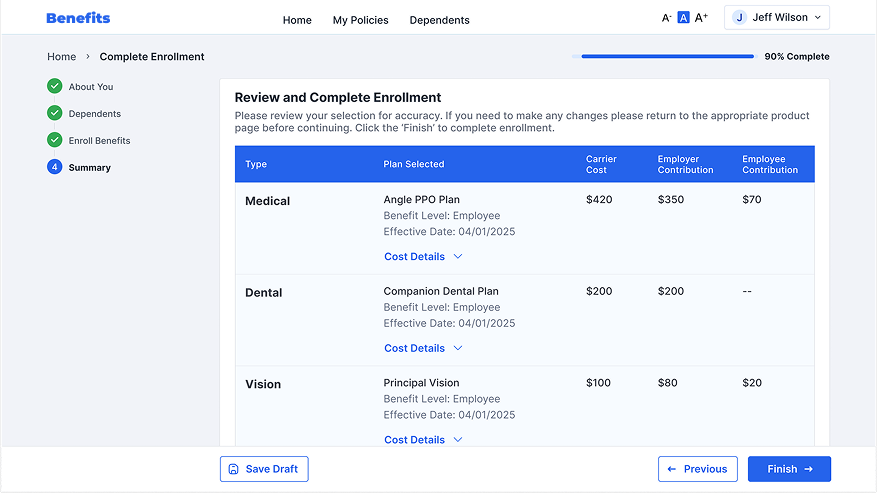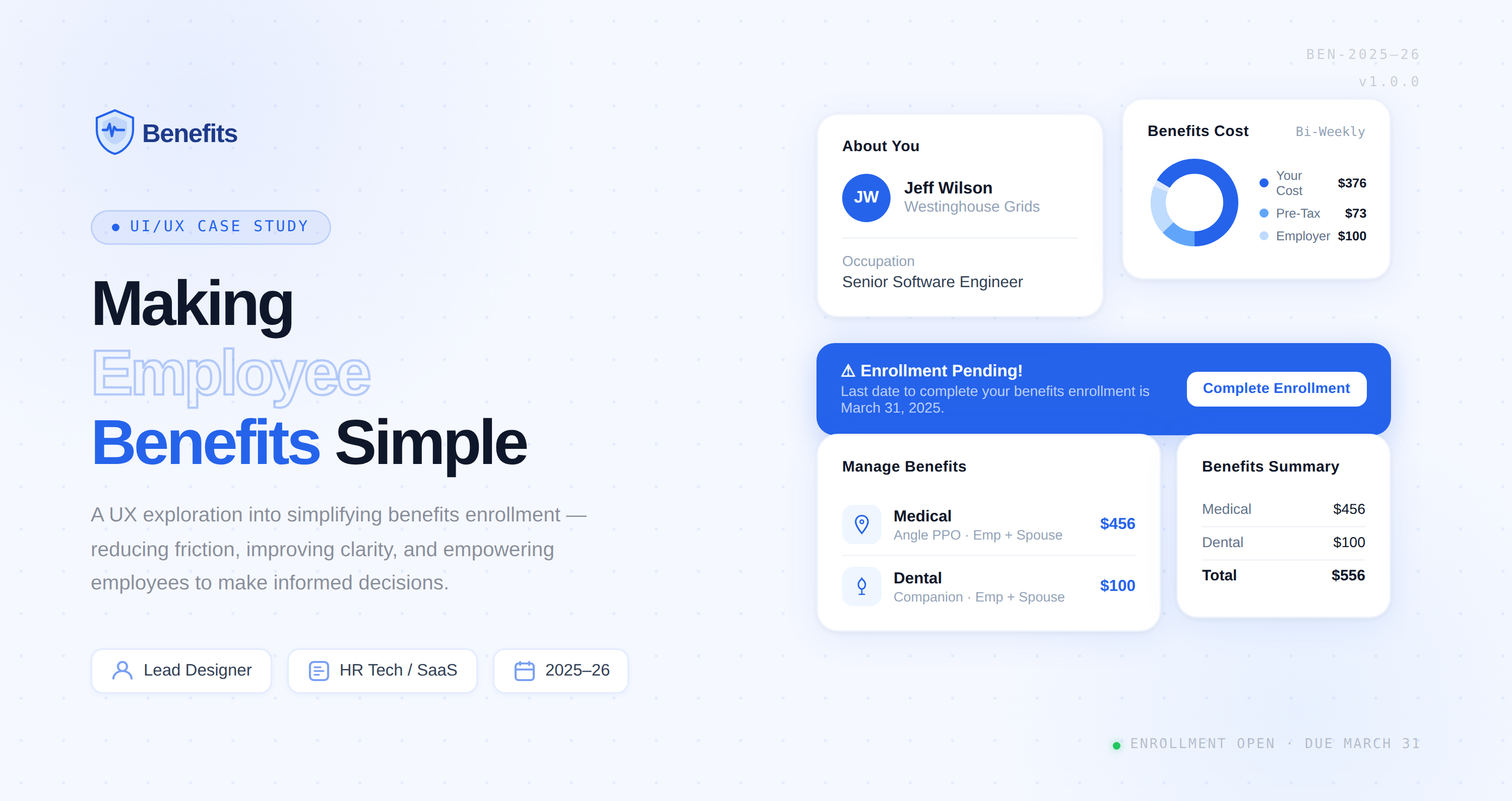
The existing employee benefits enrollment experience was fragmented and difficult to navigate, leading to high drop-offs, increased support queries, and low employee confidence during plan selection. The goal was to simplify decision-making, improve completion rates, and create a scalable experience that balanced user needs with compliance and business constraints.
Additionally, the platform needed to present complex benefit information in a clear, comparable format so employees could easily evaluate available options. The solution also aimed to reduce HR dependency by enabling a guided, self-service enrollment experience.
Employees frequently ask HR to explain insurance plans — plan language and coverage details are too complex to parse independently, creating a bottleneck at every open enrollment cycle.
HR spends significant time answering repetitive questions during open enrollment — a clear signal for guided, self-service tooling that reduces operational burden at scale.
Employees often miss enrollment deadlines — pointing to a lack of timely, contextual nudges and poor deadline visibility baked into the existing platform experience.
Stakeholder interviews, HR ticket analysis, and competitive benchmarking to fully scope the enrollment problem before designing a single pixel.
AI-assisted affinity mapping to cluster insights into opportunity areas. Journey mapping to align on the ideal enrollment experience across all user types.
Wireframes through high-fidelity prototypes. Progressive disclosure to cut cognitive load. Iterative testing with employees across roles and experience levels.
Annotated specs, component documentation, and close engineering collaboration through launch — followed by post-ship measurement to validate outcomes.
Mapped the end-to-end employee enrollment journey across six stages — Awareness, Exploration, Evaluation, Decision, Enrollment, and Confirmation — identifying friction points and design opportunities at each touchpoint.
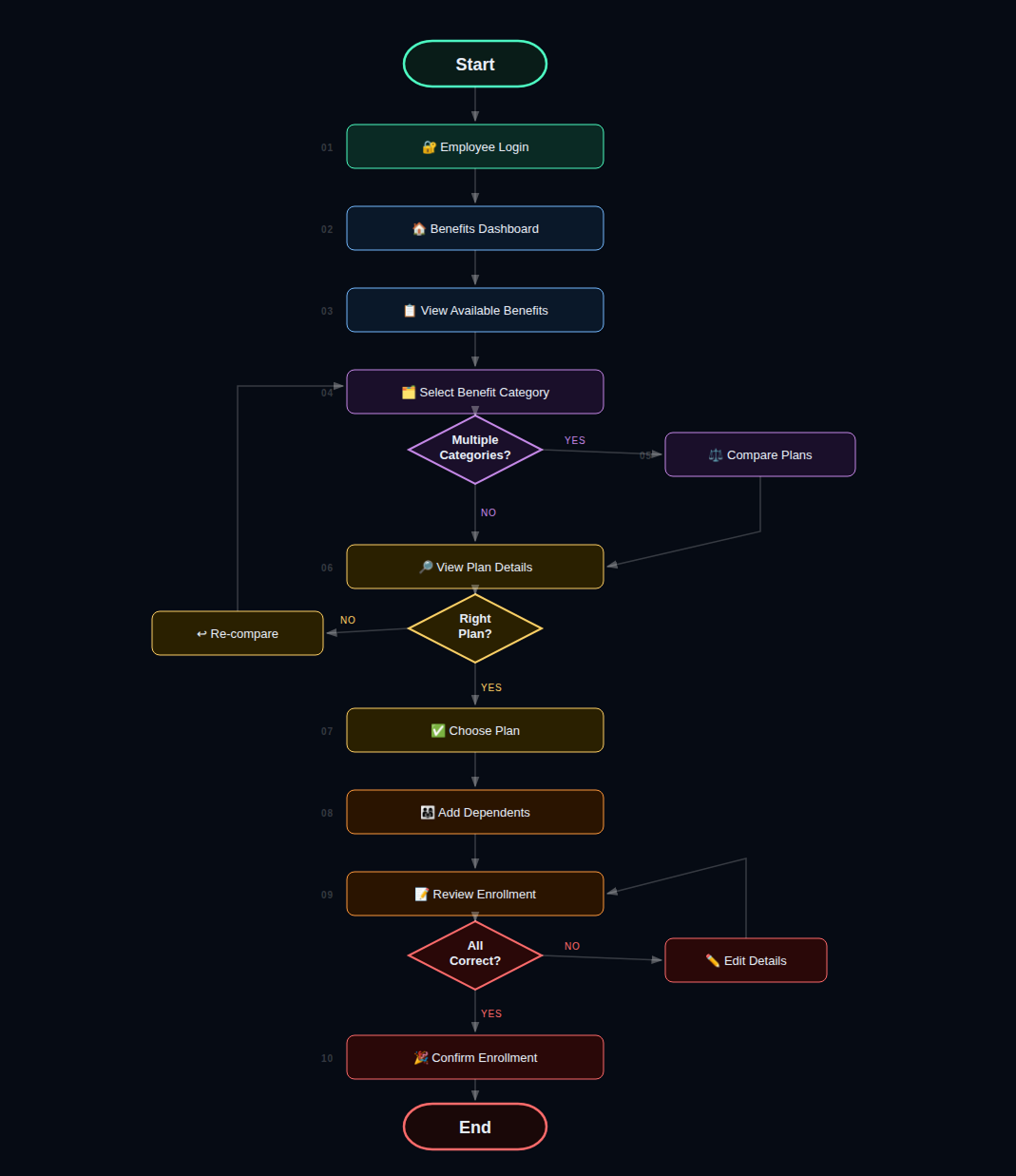
Fig. 02 — Employee enrollment journey: Awareness → Exploration → Evaluation → Decision → Enrollment → ConfirmationA 10-step enrollment flow from Employee Login through Plan Selection, Compare Plans, Add Dependents, Review, and Confirm — with decision branches for plan re-comparison and editing before commitment.
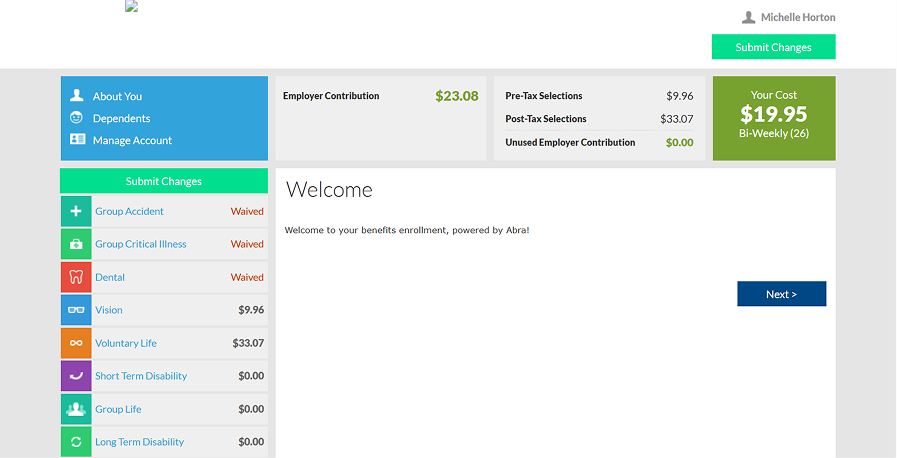
The legacy enrollment experience asked people to make high-stakes decisions inside a dense, multi-coloured screen with the real cost buried in side panels. The redesign replaces it with one clear next step, one running summary, and one calm visual system.
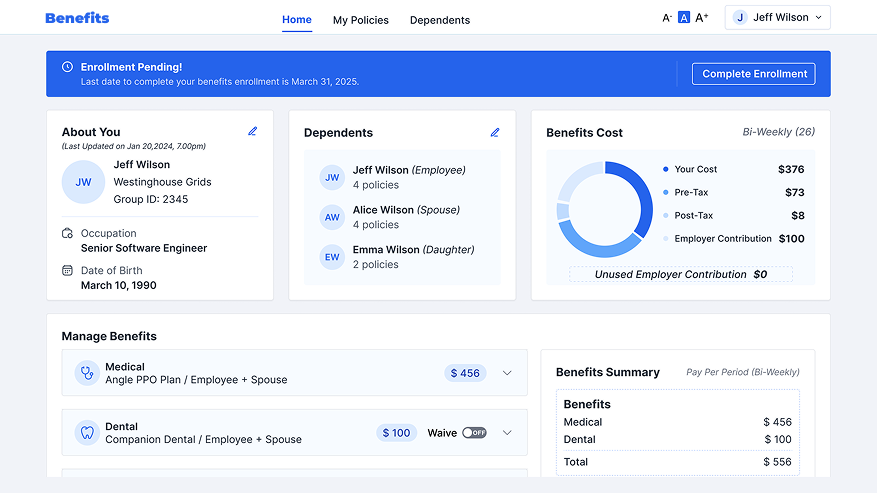
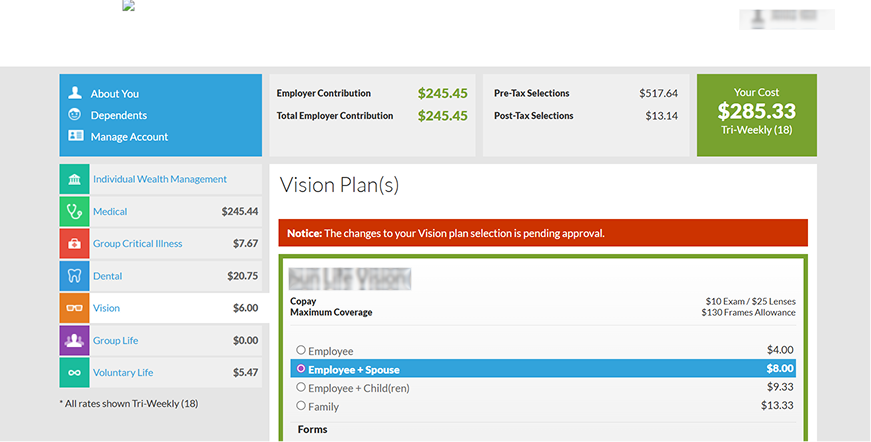
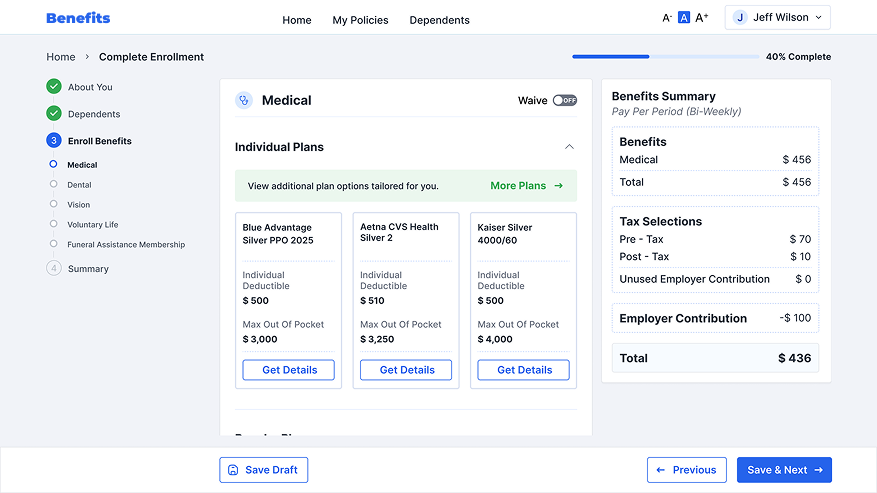
Key screens from the redesigned enrollment experience — from plan selection and comparison to the final confirmation, showing the guided, step-by-step flow that reduces cognitive load and improves decision confidence.
The redesign transformed a complex, high-friction workflow into a guided, confidence-building experience. By aligning user needs with business and compliance requirements, the solution improved operational efficiency while delivering measurable gains in engagement, completion, and employee satisfaction.